

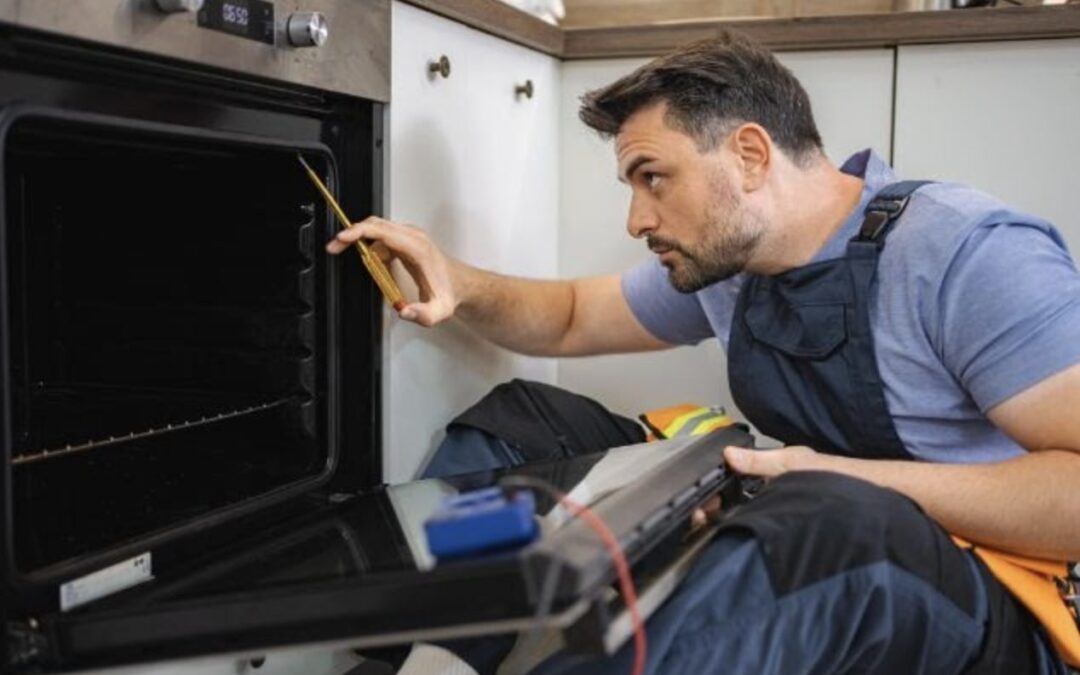
KitchenAid is a household name synonymous with quality and durability. Their range of kitchen appliances — from refrigerators and ovens and cooktops — is designed to make cooking and food storage effortless. But like any appliance, even the best KitchenAid products sometimes encounter issues. The good news? Many of these common problems have quick fixes that you can perform yourself, saving you both time and money.
Whether you’re a home chef, a busy parent, or someone who simply depends on your kitchen appliances daily, this comprehensive guide will walk you through how to troubleshoot and solve frequent KitchenAid appliance problems — without needing an expensive service call.
Why Quick Fixes Matter for Your KitchenAid Appliances
Before diving into specific problems and solutions, let’s consider why quick fixes are so valuable:
- Save time: Instead of waiting for an appointment with a technician, you can often fix minor issues immediately.
- Prevent bigger damage: Early intervention prevents small faults from escalating into costly repairs.
- Avoid unnecessary costs: Some problems can be resolved without replacement parts or professional labor.
- Learn more about your appliances: Understanding your appliance’s mechanics helps you maintain it better and extends its lifespan.
Now, let’s explore the most common KitchenAid appliance issues and the best quick fixes you can try today.
1. KitchenAid Refrigerator Not Cooling Properly
Symptoms: Food feels warm or fridge isn’t maintaining temperature, ice maker not working, frost buildup in the freezer.
Quick Fixes:
- Check the thermostat settings: Make sure the temperature dial is set between 37°F and 40°F for the fridge, and 0°F for the freezer. Sometimes, accidental bumps can change settings.
- Clean the condenser coils: Dust and dirt on coils at the back or underneath the fridge restrict airflow and cooling efficiency. Vacuum or brush the coils every 6 months.
- Ensure proper airflow inside the fridge: Avoid overpacking the fridge or blocking vents, which can restrict cold air circulation.
- Check the door seals: Inspect the rubber gasket for cracks or debris. Clean the seal with warm soapy water and ensure the door closes tightly.
- Defrost the freezer: Excessive frost buildup can prevent cooling. Manually defrost if you notice thick ice layers.
- Inspect the evaporator fan: If you hear unusual noises or no airflow inside the freezer, the fan might be faulty and needs replacement.
2. KitchenAid Dishwasher Not Draining or Cleaning Properly
Symptoms: Water remains in the bottom after a cycle, dishes come out dirty or spotted.
Quick Fixes:
- Clean the filter and drain: Remove and rinse the dishwasher filter under running water. Check the drain area for clogs or debris.
- Check the garbage disposal connection: If your dishwasher drains into a garbage disposal, ensure the knockout plug was removed during installation.
- Inspect spray arms: Remove and rinse spray arms under water to clear clogged holes, ensuring proper water distribution.
- Use the right detergent and rinse aid: Low-quality or incompatible detergents can reduce cleaning performance.
- Run a cleaning cycle: Use a dishwasher cleaner monthly to remove grease, lime scale, and odor-causing buildup.
- Check the drain hose: Ensure it’s kink-free and properly connected to the drain or garbage disposal.
3. KitchenAid Oven or Range Won’t Heat or Has Uneven Heating
Symptoms: Oven fails to reach the set temperature, heating elements don’t glow, or food cooks unevenly.
Quick Fixes:
- Verify the power supply: Check that the oven is plugged in, the circuit breaker is on, and power is flowing.
- Inspect the heating elements: Look for visible damage or breaks. If the element is damaged, it will need replacement, but minor issues like loose connections can be tightened.
- Test the temperature sensor: A faulty sensor can cause inaccurate heating. You can usually test it with a multimeter.
- Calibrate the oven temperature: Refer to your manual for instructions on calibrating temperature settings if food cooks inconsistently.
- Avoid opening the oven door unnecessarily: Heat escapes and affects cooking performance.
- Clean the oven interior: Built-up grease or food particles can cause hotspots and uneven heat distribution.
4. KitchenAid Cooktop Burner Won’t Ignite or Has Weak Flame
Symptoms: Gas burner doesn’t light, ignites slowly, or flame is uneven.
Quick Fixes:
- Clean burner ports: Remove the burner cap and clean clogged ports with a toothbrush or pin to ensure gas flows freely.
- Check igniter spark: For electric igniters, listen for clicking when you turn the knob. Clean the igniter with a soft cloth if dirty.
- Make sure burner cap is seated properly: Misaligned caps can prevent proper ignition.
- Ensure gas supply is on: Double-check that the gas valve supplying your cooktop is open.
- Dry the igniter area: Moisture can prevent sparks; dry the area if spills occurred.
5. KitchenAid Microwave Not Heating or Turning On
Symptoms: Microwave runs but doesn’t heat food, or doesn’t start at all.
Quick Fixes:
- Check power connection: Ensure the microwave is plugged in and the outlet is functioning.
- Reset the microwave: Unplug for 5 minutes, then plug back in to reset internal electronics.
- Inspect the door latch: Microwave won’t run if the door latch is faulty or not engaging properly.
- Clean the waveguide cover: Grease buildup can cause arcing; wipe gently with a damp cloth.
- Test the fuse: A blown fuse inside the microwave can stop it from heating. This usually requires professional replacement, but you can visually check the fuse if you’re comfortable.
6. KitchenAid Ice Maker Not Making Ice
Symptoms: Ice maker stops producing ice or produces small, hollow cubes.
Quick Fixes:
- Check water supply: Make sure the water valve feeding the ice maker is fully open.
- Reset the ice maker: Many models have a reset button—press and hold for 10 seconds.
- Inspect the ice maker arm: The arm might be stuck in the “off” position; gently move it to “on.”
- Clean the ice maker components: Mineral buildup can block water flow; wipe down parts with vinegar solution.
- Ensure freezer temperature is cold enough: Ice makers work best at around 0°F (-18°C).
7. KitchenAid Refrigerator Water Dispenser Not Working
Symptoms: Water doesn’t come out or flow is weak from the dispenser.
Quick Fixes:
- Check water filter: Replace the water filter every 6 months or when the dispenser slows down.
- Inspect water supply line: Make sure the water line is connected and not kinked or frozen.
- Reset the dispenser lock: Some models have a child lock feature that disables the dispenser.
- Clear clogged dispenser nozzle: Wipe the nozzle to remove any mineral deposits or debris.
8. KitchenAid Garbage Disposal Jammed or Noisy
Symptoms: Garbage disposal won’t turn on or makes loud grinding noises.
Quick Fixes:
- Reset the unit: Press the red reset button on the disposal bottom.
- Use the manual crank: Insert the Allen wrench into the bottom slot and turn back and forth to free jammed blades.
- Clear obstructions: Use tongs or pliers (never hands) to remove stuck items.
- Avoid putting fibrous or hard items: Like onion skins, bones, or fruit pits to prevent jamming.
9. KitchenAid Trash Compactor Not Compacting
Symptoms: Trash compactor won’t start or motor hums without compacting.
Quick Fixes:
- Check the door switch: The compactor won’t run if the door isn’t securely closed.
- Reset the unit: Unplug for a few minutes, then plug back in.
- Clear jams: Remove any objects preventing the ram from moving.
- Ensure overload protection hasn’t tripped: Many units have a reset button on the motor.
10. KitchenAid Coffee Maker Issues: Not Brewing or Leaking
Symptoms: Coffee maker won’t brew or leaks water.
Quick Fixes:
- Descale the machine: Mineral buildup blocks water flow; use vinegar or descaling solution monthly.
- Check water reservoir placement: Ensure it’s seated properly and the lid is closed.
- Inspect the brew basket: Clean regularly to avoid clogging.
- Examine hoses and seals: Leaks often come from cracked seals or loose hoses; replace if necessary.
Maintenance Tips to Avoid Common Problems
- Regular cleaning: Follow your appliance’s cleaning schedule in the user manual to avoid buildup.
- Use recommended products: Only use KitchenAid-approved detergents, filters, and parts.
- Avoid overloading: Whether dishwasher or trash compactor, don’t exceed recommended capacity.
- Check seals and gaskets: Keep rubber seals clean and pliable to maintain airtight closures.
- Schedule professional inspections: Annual checkups by certified technicians can spot problems early.
When to Call a Professional
While many quick fixes can solve common issues, sometimes it’s safer and more effective to call a KitchenAid-certified repair technician when:
- The appliance shows signs of electrical problems (e.g., sparking or burning smell).
- You’ve tried troubleshooting without success.
- The appliance requires complex parts replacement.
- The warranty is still valid, and you want to avoid voiding it by DIY repairs.
Conclusion
Your KitchenAid appliances are built for reliability and ease, but occasional issues are inevitable with daily use. Thankfully, many common problems have quick fixes that busy homeowners can perform with minimal tools and effort. From cleaning coils on your refrigerator to resetting your dishwasher filter, these simple steps can keep your kitchen running smoothly without costly delays.
By learning these quick fixes, you not only extend the life of your appliances but also gain peace of mind knowing you can handle minor setbacks confidently. For bigger issues or when in doubt, don’t hesitate to reach out to certified KitchenAid service providers to ensure your appliances get the care they deserve.
Keep this guide handy and enjoy your perfectly functioning KitchenAid kitchen for years to come!