

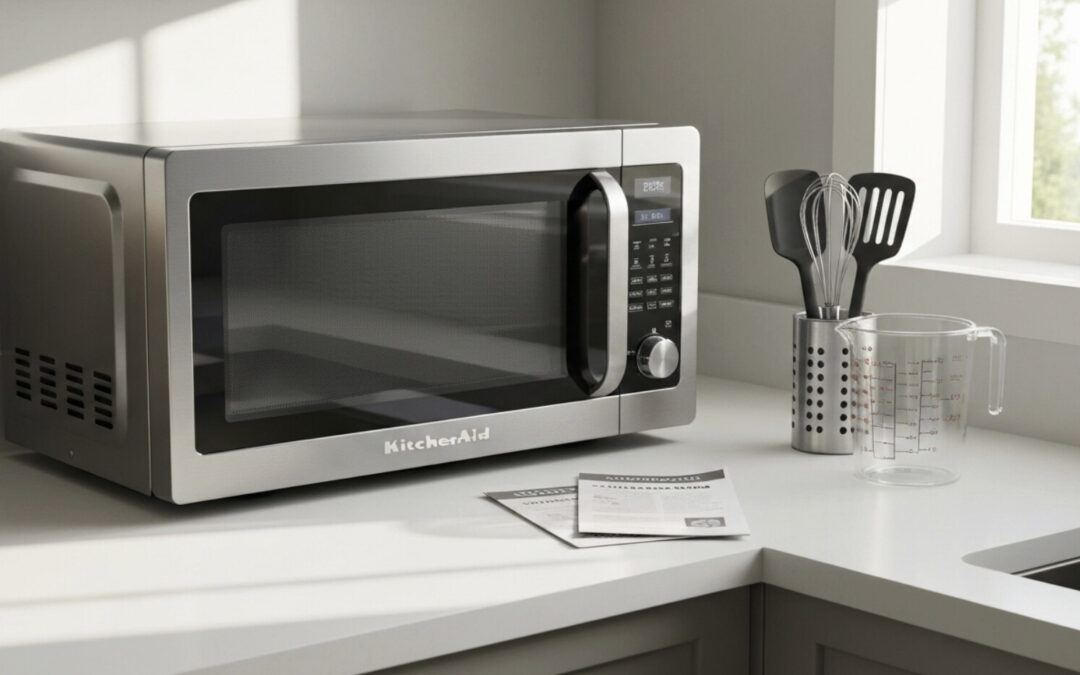
Your KitchenAid microwave is a cornerstone of your kitchen, offering convenience and speed for your daily meals. When it stops working correctly, it can disrupt your entire routine. For residents in Calabasas, certain issues with these essential appliances seem to appear more often than others. This guide explores the top KitchenAid microwave repair requests in Calabasas, offering insight into common problems and practical solutions. We’ll help you understand your appliance better and know when to seek professional help.
Most Common KitchenAid Microwave Issues in Calabasas
Even reliable appliances like a KitchenAid microwave can encounter problems over time. In Calabasas, we see a pattern of specific issues that prompt homeowners to seek repairs. These often relate to the core functions of the appliance, such as its ability to power on, heat food evenly, or operate safely.
Understanding these common failures is the first step toward a solution. From a microwave that suddenly goes dark to one that runs but leaves your food cold, these problems can be frustrating. Let’s look closer at the most frequent power, heating, and door-related issues.
Frequent Power and Heating Problems
One of the most alarming issues is when your microwave shows no signs of life or fails to heat your food. Power-related problems can stem from simple sources, like a tripped circuit breaker, or more complex internal failures. If your microwave’s display is dark, the first step is always to check its power source.
Heating failures, on the other hand, suggest a problem with the internal components responsible for generating microwaves. You might notice the appliance runs, the light is on, and the turntable spins, but your food remains cold. This points to a deeper issue within the appliance that requires a careful diagnosis. These are common concerns that can affect many appliances.
Below is a table outlining some of these frequent issues.
| Common Issue | Potential Cause |
|---|---|
| Microwave is completely dead | Tripped home circuit breaker or faulty power outlet. |
| Appliance runs but doesn’t heat | A malfunctioning magnetron or a failed high-voltage diode. |
| Sparks or arcing inside the unit | Damaged waveguide cover or presence of metallic material. |
Door Latch and Switch Failures
Did you know your microwave door is more than just a simple barrier? It contains several switches that must engage correctly for the appliance to operate. A common repair request involves a faulty door latch or a broken switch. If your KitchenAid microwave doesn’t start, or if the light stays on even when the door is closed, a malfunctioning door switch is a likely culprit.
Over time, the wear and tear of opening and closing the door can cause these small but critical parts to fail. The plastic components of the latch can break, or the internal switches can become misaligned or unresponsive. This safety feature prevents the microwave from running while the door is open, so any failure here will halt its operation completely.
When facing this issue, you might be tempted to force the door, but this can cause more damage. Inspecting the latch for visible damage is a good first step, but replacing these intricate parts and accessories is often a job for a professional to ensure the microwave operates safely.
Self-Repair Tips for KitchenAid Microwaves
When your KitchenAid microwave starts acting up, a few simple checks can often identify or even solve the problem. These steps are safe for any homeowner and can help you rule out basic issues before assuming the worst. Start with the most obvious potential problem: the power source.
From there, you can perform a simple reset, which can resolve many minor electronic glitches affecting modern appliances. It’s surprising how often this simple action restores a microwave to working order. You should also ensure that user error isn’t the cause of the issue, as simple mistakes can mimic a malfunction.
Here are a few easy troubleshooting steps to try:
- Check the Power: Confirm the microwave is plugged into a working outlet. Test the outlet with another small appliance, like a lamp, to ensure it has power. Check your home’s circuit breaker to see if it has been tripped.
- Perform a Hard Reset: Unplug your microwave from the wall, wait for about two minutes, and then plug it back in. This can reset the internal computer.
- Inspect the Door: Make sure the microwave door is closing completely and that nothing is obstructing the latch.
- Review the Settings: Double-check that “Control Lock” or “Demo Mode” has not been accidentally activated, as this can prevent the microwave from operating.
When DIY Isn’t Enough: Signs You Need an Expert
While troubleshooting can resolve minor glitches, some problems are clear indicators that your KitchenAid appliance needs professional attention. Attempting to fix complex internal issues yourself can be dangerous and may lead to more extensive damage. Recognizing the signs that you’re out of your depth is key to a safe and effective repair.
If you hear loud, unusual noises like buzzing, grinding, or popping during operation, it’s time to stop the microwave and call for help. Similarly, if you see sparks or smell smoke or a burning odor, unplug the appliance immediately. These symptoms often point to serious electrical or mechanical failures that require an expert’s tools and knowledge.
Ultimately, any problem that persists after you’ve tried basic troubleshooting warrants a professional diagnosis. A qualified technician can safely inspect the internal components of your microwave, such as the magnetron, capacitors, and transformers. Don’t risk your safety with complex repairs; trust an expert to handle your valuable appliances.
Get Your Appliances Running Smoothly with KitchenAid Repairs
When DIY troubleshooting for your KitchenAid microwave doesn’t solve the problem, our professional team at KitchenAid Repairs is ready to help. We specialize in diagnosing and fixing all types of issues, from power failures to faulty door switches. Our technicians have the expertise to handle the intricate components of your appliances, ensuring a safe and reliable repair. We are committed to getting your kitchen back to full function as quickly as possible. Don’t let a broken appliance disrupt your life any longer.
Deciding whether to repair or replace your KitchenAid appliance, such as your microwave and dishwasher, can be tricky. Our experts can provide an honest assessment of your microwave’s condition and the cost of the repair. Often, a professional fix is far more cost-effective than buying a brand-new unit. With our help, you can make an informed decision that saves you money and extends the life of your trusted KitchenAid products. You can easily schedule a service appointment and proceed to checkout for a hassle-free experience.
Conclusion
In summary, understanding the common KitchenAid microwave repair requests in Calabasas can significantly empower homeowners to address issues effectively. From power and heating problems to door latch failures, knowing the symptoms can help you troubleshoot minor issues before they escalate. Additionally, recognizing when it’s time to call in the experts ensures that your kitchen appliances remain in top shape. For more insights and tips on maintaining your appliances, be sure to check out our blog post, “KitchenAid Repair Near Me Before Hosting? Don’t Delay.” Your kitchen deserves the best care!
Frequently Asked Questions
How can I check if my KitchenAid microwave is under warranty?
To check your warranty status, locate your appliance’s model and serial number. You can then visit the official KitchenAid website or consult the original owner’s manual that came with your microwave. This documentation will provide specific details about your warranty coverage, including any potential for rebates on service and refills.
What details should I prepare before contacting repair support?
Before contacting support for your KitchenAid microwave, have the model and serial number handy. You should also be ready to provide a clear description of the problem, including any error codes on the display. Knowing these details will help the technician diagnose the appliance issue more quickly and efficiently.
Should I repair my KitchenAid microwave or replace it?
The decision to repair or replace your KitchenAid microwave often depends on the age of the appliance and the cost of the repair. If the repair cost is less than half the price of a new, comparable model, repairing it is usually the more economical choice for your appliances.